
analog-clock: a custom HTML element that tells time without a timer
analog-clock is a single-file vanilla custom element whose hands run on CSS animations instead of timers, and every clock in this post is the element itself running live.

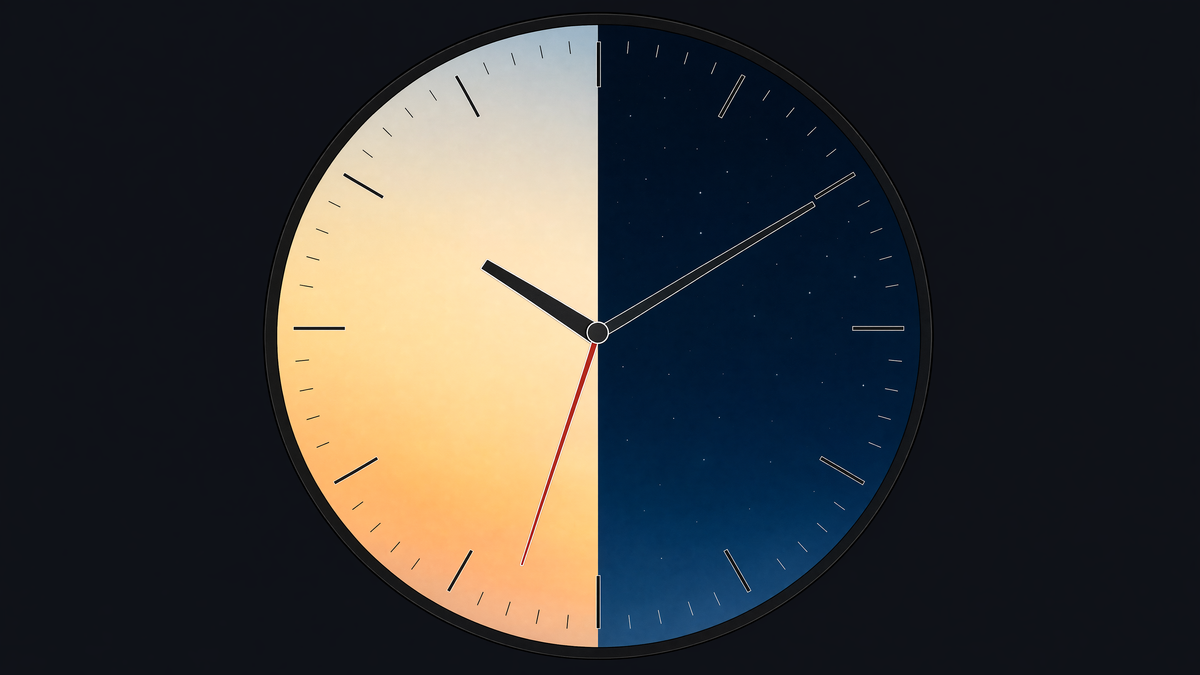
Every clock in this article is alive. Each one is an instance of <analog-clock>, a custom HTML element defined once in a script at the top of this very post, then used like any other tag. There is no framework underneath it, no build step behind it, and, strangest of all, no timer inside it: after a single line of JavaScript writes the time, the hands are moved entirely by CSS.
This post walks through how it works, documents its complete API, and then asks an uncomfortable question: if one file can do all this, what exactly were we installing all those tools for? (If you are reading this in a feed reader, the demos are scripts and will not run there; the text states every fact the clocks demonstrate, but the live page is more fun.)
One element, one file
The whole component is one class in one file: about 450 lines including its own user manual in a comment block, 21 KB on disk and roughly 6 KB gzipped. It extends HTMLElement, registers itself once, and from then on the browser treats it exactly like a built-in:
<analog-clock></analog-clock>            <!-- live, local time -->
<analog-clock at=10:09:30></analog-clock> <!-- frozen, interactive -->
<analog-clock in=Asia/Seoul></analog-clock> <!-- live, Seoul time -->
<analog-clock in></analog-clock>          <!-- live, your zone, explicitly -->
It was written inside an RTCode.io playground page, where one attribute on the script block publishes the class as a standalone .js file and a second adds the CORS header, so the demo page, the distributable module, and the documentation are literally the same file. The copy running in this post is pasted inline, unminified, comments and all: View Source works, and what View Source shows you is what executes.
The movement is a stylesheet
The usual way to animate a clock is to wake up every second and re-render. This element does something different: when it connects (or whenever its attributes change), it computes the current time as seconds since midnight, zone-aware via Intl.DateTimeFormat, and writes exactly one CSS custom property into a per-instance constructable stylesheet:
this.#timeStyleSheet.replaceSync(`:host { --t: ${t}; }`);That is the entire runtime. The hands are driven by three ordinary CSS animations, one full turn each over twelve hours, one hour, and one minute, all rewound to the right phase by a negative delay (condensed from the source):
@keyframes spin { to { rotate: 360deg; } }

.hand.hour   { animation: spin 43200s linear infinite; animation-delay: calc(var(--t) * -1s); }
.hand.minute { animation: spin  3600s linear infinite; animation-delay: calc(var(--t) * -1s); }
.hand.second { animation: spin    60s linear infinite; animation-delay: calc(var(--t) * -1s); }
A negative animation-delay does not wait; it seeks. Setting it to -37000s on a 43200-second animation starts the hour hand 37000 seconds into its rotation, which is precisely where 10:16:40 puts it. The arithmetic reconciles by construction: 43200 seconds is twelve hours, 3600 is one hour, 60 is one minute. The hands animate the rotate property, which keeps the centering translate untouched and lets the browser run the whole sweep on its own animation machinery. While a clock runs, the element executes no JavaScript at all. The class contains no setInterval, no setTimeout, and no requestAnimationFrame; you can grep it.
A frozen clock is the same trick with the film stopped. When the at attribute is present, the element parses it permissively (missing or garbled parts read as zero, overflowing values wrap, so at=25:70:90 means 01:10:30), pauses the animations, and sets the three hand angles directly: the hour hand sits at (hour % 12) * 30 + minute * 0.5 + second / 120 degrees, so it creeps realistically between numerals just like a physical movement. The element also reports which mode it is in through modern custom states, :state(running) and :state(static), which any page stylesheet can select against.
Day and night are keyframes
The world clocks at the top of this post pick their own light or dark theme, each from its own time zone. That is not a script watching the clock; it is one more CSS animation. When the in attribute is present, the host runs a 24-hour keyframe animation, stepped rather than interpolated, off the same --t value:
:host([in]) { animation: dn 86400s steps(1) infinite calc(var(--t) * -1s); }

@keyframes dn {
   0%,  24.99999% { color-scheme:  dark; --background: red;   }
  25%,  74.99999% { color-scheme: light; --background: green; }
  75%, 100%       { color-scheme:  dark; --background: blue;  }
}
From midnight to 06:00 the face is dark, from 06:00 to 18:00 it is light, and from 18:00 onward it is dark again, in that clock's own time zone, forever, with zero lines of theme-switching script. 86400 seconds is 24 hours; the same negative-delay seek aligns the cycle to local time.
One real-world wrinkle, kept in the code on purpose: --background is never read by anything. It is a decoy. In Chromium, flipping color-scheme from inside a keyframe did not by itself re-resolve the system-color mixes the face is painted with; animating any custom property alongside it forces the style invalidation that does. Removing those three "useless" declarations turns daytime Seoul gray. Doing custom elements right occasionally means leaving a comment that says do not delete this.
A face that fits its box
The element declares container-type: size on itself and measures everything (hands, tick marks, numerals, the cap) in cqmin units: percentages of its own smaller dimension. Give it any width (it is an inline grid with aspect-ratio: 1 / 1, so width is the one thing layout must supply) and every internal proportion follows. You will not find a single media query or ResizeObserver in the file; the container does all the work.
Two construction details are worth stealing. The sixty tick marks are thirty elements, not sixty: each marker is a full-height bar with a gradient stripe painted at both ends, rotated into place, so one element renders two opposite ticks. And the twelve numerals stay upright through counter-rotation: each number is rotated around the face center by h * 30deg, while an inner span rotates by the exact negative angle, so the digits ride the dial without tilting.
Colors the browser already knows
The face never hard-codes a palette. Every color on the face is mixed from the browser's own system colors, Canvas and CanvasText, the colors the page background and page text already use:
:host {
  color-scheme: light dark;
  --f-o: 30%; --m-o: 50%; --b-o: 97%;
  --f-c: color-mix(in oklch, CanvasText, Canvas var(--f-o)); /* face foreground */
  --m-c: color-mix(in oklch, CanvasText, Canvas var(--m-o)); /* minute markers  */
  --b-c: color-mix(in oklch, CanvasText, Canvas var(--b-o)); /* face background */
}
Light mode, dark mode, and the day/night flip all fall out of the same three declarations, because the mixes resolve through color-scheme. The three offsets are public knobs. The second hand goes one step further and borrows the browser's active-link color: it is painted with -webkit-activelink where that exists and falls back to the standard ActiveText elsewhere, via a plain @supports guard. Total theme code shipped: none.
One shadow, many clocks
The face lives in an open shadow root, so its markup and styles cannot collide with the page. But the interesting part is what is shared. The full face stylesheet is built once, as a constructable stylesheet cached on the class itself, and every instance adopts it by reference:
const faceStyleSheet = (this.constructor.faceStyleSheet ??= new CSSStyleSheet());
/* ... populated once ... */
this.#shadowRoot.adoptedStyleSheets = [ faceStyleSheet, this.#timeStyleSheet ];
Four clocks or four hundred: the browser parses the face CSS exactly once. The only per-instance style is the second sheet, whose entire content is that one --t declaration. Inside the shadow tree, the face and the movement are grouped by unregistered <contents> elements styled display: contents, structure without layout boxes, so every hand and marker positions directly against the host grid.
States the page can see
The element attaches ElementInternals in its constructor and uses it for everything a component is usually too lazy to do. It declares itself role: img with an ARIA role description of "analog clock" and keeps a human-readable label current in both modes. The running and static custom states are published through the same internals, which is what makes :state(static) selectable from page CSS with no class-name contract.
In static mode it goes further: each hand becomes a focusable role=slider with aria-valuemin, aria-valuemax, and a live aria-valuenow, hours 0 to 23, minutes and seconds 0 to 59. Back in running mode those attributes are removed again. For richer assistive output the documentation comment in the source recommends slotting a real <time> element inside:
<analog-clock><time datetime=09:41>09:41</time></analog-clock>Slotted children render above the face, which is how the city labels in the demos work; give such overlays pointer-events: none so they never block the hands.
Hands you can grab
A frozen clock is a control. The pointer plumbing only exists in static mode, gated by a custom property the at attribute flips, so a running clock stays purely decorative while a static one grows grab cursors. Drag a hand and the element does dial geometry with Math.atan2, captures the pointer so fast drags cannot escape, and carries wrap-arounds the way a physical crown would: pushing the second hand past 12 advances the minute, the minute hand past 12 advances the hour, and the hour hand quietly tracks AM and PM as it crosses 12, covering the full 24-hour range.
The keyboard story is complete, not a token gesture. With a hand focused: arrow keys step by one unit, Shift makes it five (twelve for the hour hand, a meridiem flip), ArrowUp and ArrowDown move focus between visible hands, Space and Enter toggle the center cap, and Escape returns the clock to running. The cap itself is a real <button>: clicking it freezes a running clock at the current moment, then successive clicks walk focus through the hands, and the final click sets it running again.
While you adjust, the element speaks the language of native form controls: input events stream during the gesture and a change event fires when it commits, both bubbling.
Styling from the outside
Nothing in the previous sections required touching the element's internals, and neither does theming. The shadow tree exports parts for every region: the hands as hand hour, hand minute, hand second, the cap, the tick marks as marker hour and marker minute, and the numerals as number hour. Page CSS can recolor a second hand, change the numeral typeface, or hide the numerals outright with one rule each. The geometry knobs are plain custom properties: --number-offset, the marker lengths and widths, the marker inset, and the three color-mix offsets. And because the whole palette derives from system colors, pinning color-scheme on a clock from outside restyles the entire face with a single declaration.
The same mechanism powers the developer experience: the drag overlay in the previous demo is nothing but ::part(hand)::before and ::part(cap)::before rules from outside. One commented line in the playground turns the smooth sweep into a mechanical tick: ::part(hand second) { animation-timing-function: steps(60); }. Consumers get the same styling power the author used to debug the thing.
color: dodgerblue
Georgia italic
marker knobs turned up
Events compose
Because the element speaks input and change like a native control, page-level coordination needs nothing beyond the events themselves. The two clocks below are kept in lockstep by this relay (the demo's own script, minus its scoping boilerplate):
const clocks = [...document.querySelectorAll('analog-clock')];

const relay = e => {
  const c = e.target;
  if (c.localName === 'analog-clock')
    clocks.filter(o => o !== c).forEach(o => o.sync(c));
};
addEventListener('change', relay);
addEventListener('input',  relay);
The public sync() method accepts another clock directly (it just reads that clock's at and in), converts the time between zones through Intl, and writes the result as an attribute. Two design choices make the mesh safe: programmatic writes never dispatch events, so relays cannot feed back, and a running source clock (whose at is null) clears its peers back to running, so the whole group resumes together.
In the playground where this element lives, the same wiring goes one step further: a single meta tag keeps the page's HTML source and the live DOM in two-way sync while editing, attribute changes flowing in both directions. That sync engine has its own post.
The complete API
Everything above, as a reference. The element is deliberately scoped to current evergreen browsers; the source says so in its first comment block ("This element is only intended for latest evergreen major browsers!"), and that honesty buys it every platform feature listed below with no polyfills and no transpilation.
Attributes (both observed, both reflected)
| Attribute | Meaning |
|---|---|
at | Freezes the clock at a time and makes it interactive. Parsed permissively, like a native element: parts split on :, missing or non-numeric parts read as 0, values wrap, so at=25:70:90 displays 01:10:30. An empty or whitespace value counts as absent. Presence enables dragging, keyboard editing, and :state(static). |
in | IANA time zone for a running clock, such as in=Asia/Seoul. An empty value (<analog-clock in>) means the runtime's own zone, explicitly. Unknown zones fall back silently to local time. Presence, even empty, also enables the 24-hour day/night theme animation. |
Properties and method
| Member | Behavior |
|---|---|
at | Reflects the attribute. Reads return the raw attribute string or null. Assigning null or undefined removes the attribute and resumes running. |
in | Reflects the attribute, with one nicety: reading resolves an empty attribute to the runtime's zone name. |
sync({ at, in }) | Applies a time from another zone. Accepts a plain object or another clock element directly (it reads the argument's at and in). Converts between the source zone and this clock's zone via Intl, then sets at. Returns the normalized HH:MM:SS it applied; returns null after clearing to running mode (when the source at is null or not a string); returns undefined as a no-op (when at is absent). Dispatches no events. A target without any in takes the source time literally, so give sync targets a zone, even the bare in. |
Events (both bubble, no detail payload; read .at)
| Event | Fires |
|---|---|
input | On every committed step while dragging, and on every arrow-key step. |
change | On drag end (if anything changed), on every arrow-key step, on cap toggles in either direction, and on Escape. Keyboard steps therefore fire both events per press. |
Keyboard (static mode, with a hand focused)
| Key | Action |
|---|---|
ArrowRight / ArrowLeft | Step the focused hand by one unit; carries propagate (seconds into minutes into hours). |
Shift + arrows | Step by five; by twelve on the hour hand, a meridiem flip. |
ArrowUp / ArrowDown | Move focus between visible hands, wrapping. |
Space / Enter | Activate the center cap. |
Escape | Back to running mode. |
Pointer (static mode)
| Gesture | Behavior |
|---|---|
| Drag a hand | Pointer capture keeps the gesture even outside the face; wrap-arounds carry like a physical crown; the hour hand tracks AM and PM across 12, covering all 24 hours. |
| Click the cap | Running: freeze at the current moment and focus the hour hand. Frozen: walk focus through the visible hands, then resume running. |
Shadow parts
| Selector | Targets |
|---|---|
::part(hand hour), ::part(hand minute), ::part(hand second) | The three hands. |
::part(cap) | The center cap (a real button). |
::part(marker hour), ::part(marker minute) | The tick marks. |
::part(number hour) | The twelve numerals. |
One footgun: ::part(hour) alone matches the hour hand, the hour markers, and all twelve numerals, because they all carry the hour token. Use the compound forms above.
Custom states and CSS custom properties
| Hook | Default | Meaning |
|---|---|---|
:state(running) / :state(static) | Exactly one is set at all times. | |
--number-offset | 10cqmin | Distance of numerals from the rim. |
--marker-offset | 3% | Tick inset from the rim. |
--hour-marker-len / --minute-marker-len | 7.5cqmin / 4cqmin | Tick lengths. |
--hour-marker-wid / --minute-marker-wid | 1.5cqmin / 1cqmin | Tick widths. |
--f-o / --m-o / --b-o | 30% / 50% / 97% | Color-mix offsets for face foreground, minute markers, and face background, mixing CanvasText toward Canvas. |
--t | Internal: seconds since midnight, the one JS-written value. Do not set it from outside. |
Slot, sizing, accessibility
| Contract | Detail |
|---|---|
| Default slot | Children render above the face (labels, a <time> element). Give overlays pointer-events: none. |
| Sizing | Inline grid, aspect-ratio: 1 / 1, container-type: size. Layout must supply a width; everything inside is cqmin. |
| ARIA | role=img with role description "analog clock" and a live label. In static mode each hand is a focusable role=slider with min, max, and current value; running mode removes them. |
| Support | Latest evergreen browsers, by design. |
Two behavioral notes that round out the contract. Attribute writes from script never dispatch input or change; only user interaction does, exactly like native controls. And sync() samples time zone offsets at the current instant, so converting a wall-clock time across a DST boundary uses today's offsets, the right trade-off for a clock that displays time-of-day.
One support carve-out, owned by a demo rather than the element: the digital readout under the frozen caps is page CSS using the modern attr() function, which shipped in Chrome 133, sits behind a flag in Firefox, and has not shipped in stable Safari yet. Engines without it render no digits and lose nothing else. Everything the element itself uses, custom elements, shadow DOM, adopted stylesheets, ElementInternals with custom states, container queries, color-mix(), and system colors, is in all current evergreen browsers.
And one practical note: there is no npm package, on purpose. The distribution, today, is this page. View Source, copy the script at the top of the article, and paste it anywhere HTML runs.
What this didn't need
The strongest interoperability demo in this post is the post. Every clock above is the element itself, pasted into a stock Ghost blog as plain HTML, running inside an article body the way an image or a table runs. No mounting, no hydration, no bundle. The component arrived the same way the paragraphs did.
Now inventory what is absent. There is no node_modules directory and no lockfile. There is no bundler and no bundler config, no transpiler, no JSX dialect, no template compiler, and no migration guide to schedule around. The deliverable is one file: about 21 KB of unminified, commented source that gzips to about 6 KB. For scale, the production files React 19.2.7 ships on npm (react plus the react-dom client renderer it needs to touch a browser) total roughly 547 KB, and they are not even minified; run them through a minifier and they still come to about 270 KB. That is an honest comparison only with both qualifiers attached: React is a general rendering library and this is one widget. But this widget is the entire application here, and it needed none of those bytes.
Compare the runtime models. The canonical framework clock ticks: a timer fires, a state setter runs, the component re-renders, and a reconciler diffs a tree to discover that one angle changed. This is not a strawman; React's own useEffect reference documents the once-per-second pattern as an Effect that starts a setInterval, returns a clearInterval cleanup, and updates state on every tick, and its examples of the external systems an Effect manages begin with the interval timer. None of that is wrong, and React batches it well. It is simply an enormous amount of machinery for a rotation. This element writes one custom property and stops executing; the browser's animation engine, the same machinery behind every CSS transition you have ever shipped, moves the hands from then on. (A React component could, of course, render this same CSS once and never re-render; the point is what the idiom reaches for first.) The fastest render loop is the one that never runs.
Compare the on-ramps. The first sentence of advice on react.dev's "Creating a React App" is "we recommend starting with a framework", meaning Next.js and friends, with the build pipeline that implies; the build-from-scratch page opens with "install a build tool"; and the only no-build path in the official learning docs is a demo page whose own comments label it "not suitable for production". React 19 even removed the UMD builds, so the classic drop-in script tag is gone (an ESM CDN import is the sanctioned replacement). Vue states the constraint plainly: single-file components, the format its documentation centers on, "must be pre-compiled" into standard JavaScript and CSS, in its own words, and the no-build CDN mode gives up SFC syntax. This element's on-ramp is a script tag, and its component model is the one HTML already has: write a tag, get a working instance.
Compare the half-lives. "Don't break the web" is the community's shorthand, and the WHATWG's FAQ states the policy behind it: features are very hard to remove because "implementers are hesitant to break web pages". Frameworks, structurally, cannot make that promise, and their histories show it. React moved the ecosystem from class components to hooks in 2019 and its current docs tell you classes are "still supported" but not recommended for new code. Vue 2 reached end of life on December 31, 2023. Angular ships "a major release every 6 months", supported for 18. Every one of those transitions was well managed, and every one of them sent teams to a migration guide for code that still did what it always did. This clock depends on the one vendor that treats compatibility as a constitution rather than a roadmap.
And the interoperability argument has quietly ended, because the frameworks themselves conceded it. A framework component runs only inside its framework; the official escape hatches, Angular Elements and Vue's defineCustomElement, work by converting the component into, of all things, a custom element. A custom element needs no escape hatch. It runs in plain HTML, in a CMS body, in Markdown output, in someone else's app, and, since React 19 added "full support for custom elements" and began scoring 100% on Custom Elements Everywhere, inside every major framework's templates too (Vue and Angular have scored 100% for years). Build a component on the platform and every framework is your runtime. Build it inside a framework and that framework is your ceiling.
The steelman, because it deserves stating: frameworks earn their complexity at application scale. Routing, data flow, optimistic updates, team conventions, a hiring pool, an ecosystem of tested components: real problems, really solved, and nothing in this post argues otherwise. The argument is narrower and sharper. A clock has none of those problems. A clock is a UI atom, and reaching for an application framework to draw one is using a crane to hang a picture. The platform absorbed the tooling this kind of piece used to need: scoped-CSS compilers, resize-observer plumbing, theme providers. "Vanilla is too painful" stopped being true years ago.
If a component needs a compiler to say hello to the DOM, its complexity did not disappear. It moved into the toolchain, where it bills you at upgrade time.
The platform is the framework
Custom elements, shadow DOM, constructable stylesheets, container queries, custom states, system colors, color-mix, keyframes that can seek: none of this is the hard path anymore. Each one quietly replaced something we used to install. What is left, when a UI atom needs building, is a blank file and a browser.
The next time one comes up, open the blank file first. The browser has been shipping the framework all along.